Account Register (cash and bank statement)
This screen shows the cash account's opening balance for the period and every deposit and withdrawal in it.
1Open the screen
From the menu: General ledger → Account movements.
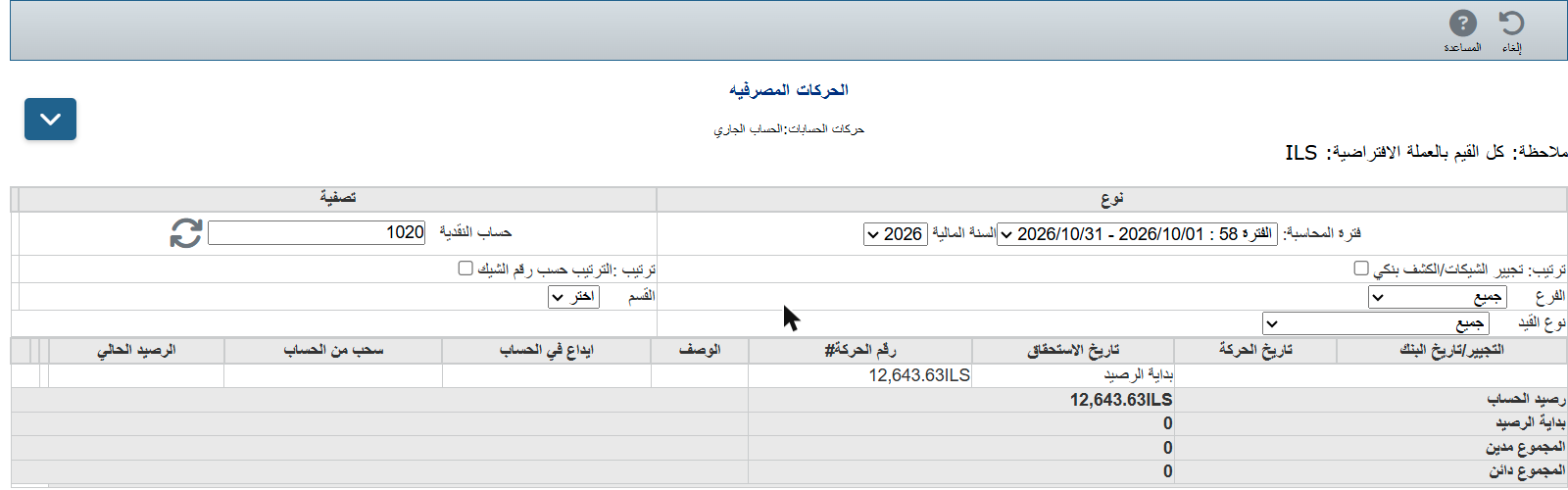
2Choose the account and period
- Cash account: type the account number (1020 Current account or 1000 Cash box) and click refresh.
- Accounting period and Fiscal year.
- Filter by Branch or Entry type if needed.
3Read the register
Each line shows a Deposit or Withdrawal and the Running balance. At the bottom: Opening balance, Total debit, Total credit and Account balance.
💡 Tick Sort by cheque number to follow cheques in order.