Reconciliation checks that the account balance in the system equals the bank statement, and reveals missing or duplicate transactions.
From the menu: Banking → Account reconciliation.
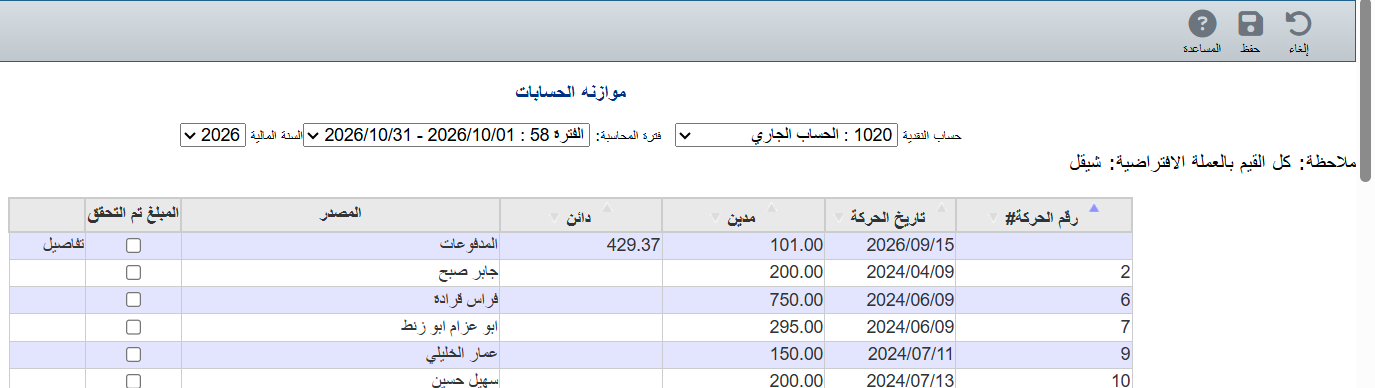
Choose the Cash account (1020 Current account, for example) and the Accounting period, with the bank statement for the same period in front of you.
At the bottom, type the statement's closing balance in Statement ending balance.
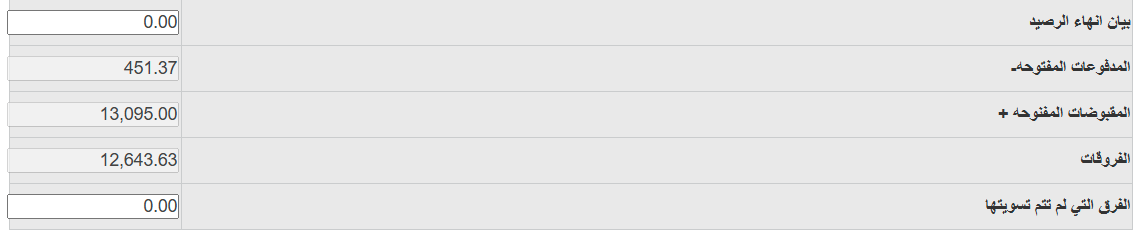
Tick Cleared next to each transaction that appears on the bank statement. The Unreconciled difference changes with each tick.
When the Unreconciled difference = 0, click Save.