Deleting an Adjustment
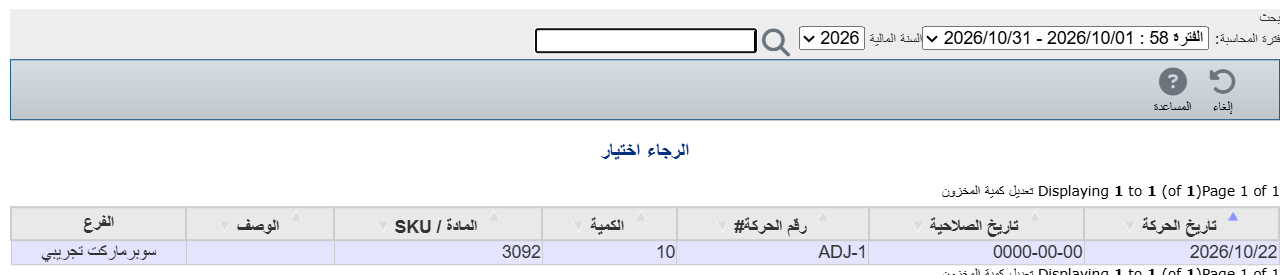
1Open the adjustment
From Inventory → Adjust stock quantity, click Open and choose the adjustment from the list.
2Click "Delete"
Once the adjustment is open, click Delete on the toolbar and confirm.
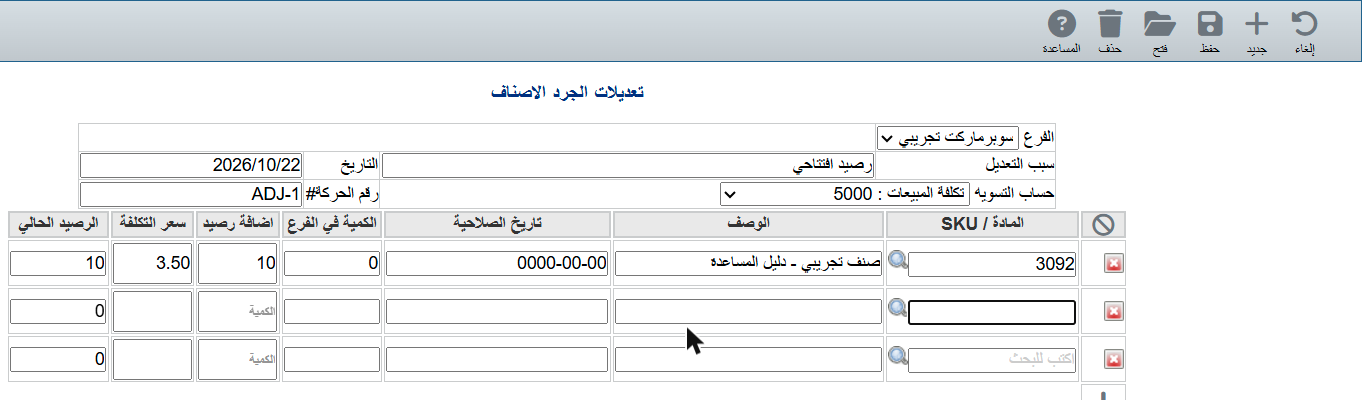
⚠ Deleting removes the adjustment's effect on the balance and the accounts. If you only need to fix the quantity, edit the adjustment instead.