Custom Fields
Add new fields to the item card for your business, such as "Colour", "Storage" or "Warranty date". Fields appear on the tab you choose and can be used in reports, import and export.
1Open the settings
Settings → Inventory module, then the Custom fields tab.
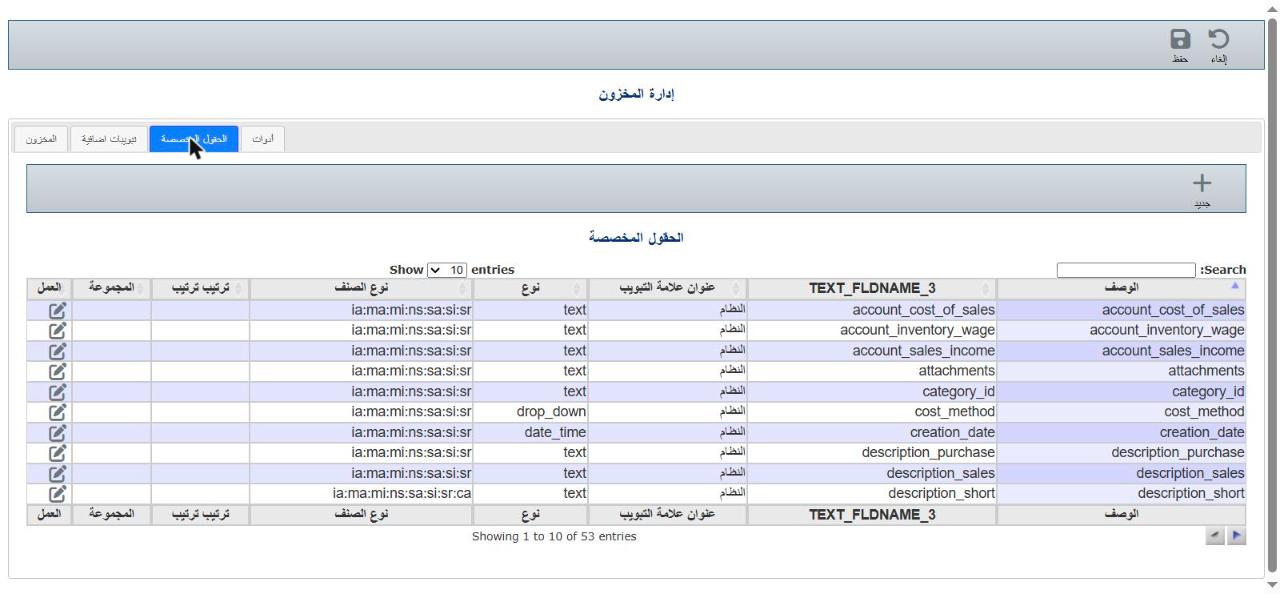
Fields whose Tab title is "System" are core system fields.
2Add a field
Click New ( + ) and enter:
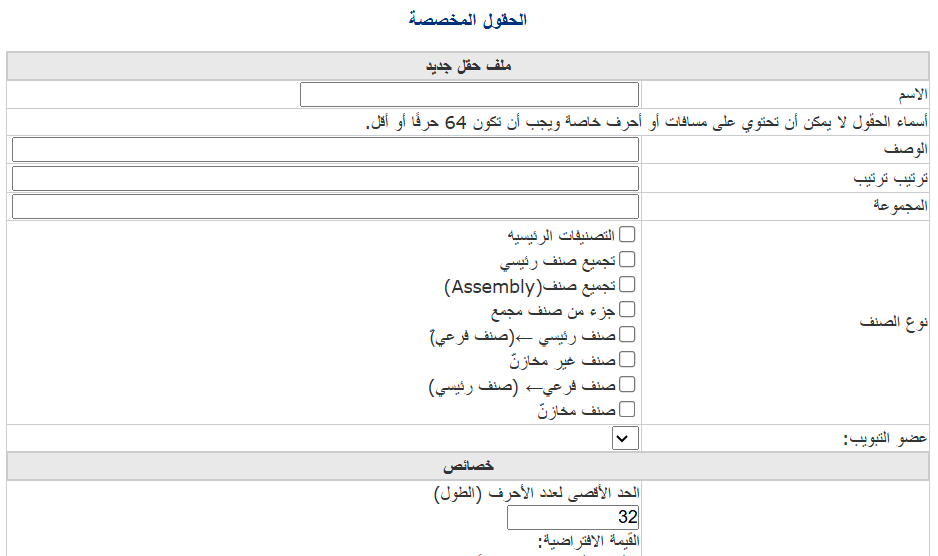
- Name: an internal English name without spaces or symbols (up to 64 characters), such as `color`.
- Description: the label users see, such as "Colour".
- Sort order and Group: to order and group fields.
- Item type: tick the types the field appears on.
- Tab member: the tab the field appears on.
- Properties: field type (text, number, date, drop-down...), length and default value.
3Save
Click Save. The new field appears on item cards.
⚠ The internal name becomes a database column, so choose it carefully — it can't easily be changed later.