Payment Voucher (paying a vendor)
1Open the voucher
On Important Entries click Payment, or from the menu: Banking → Vendor payment.
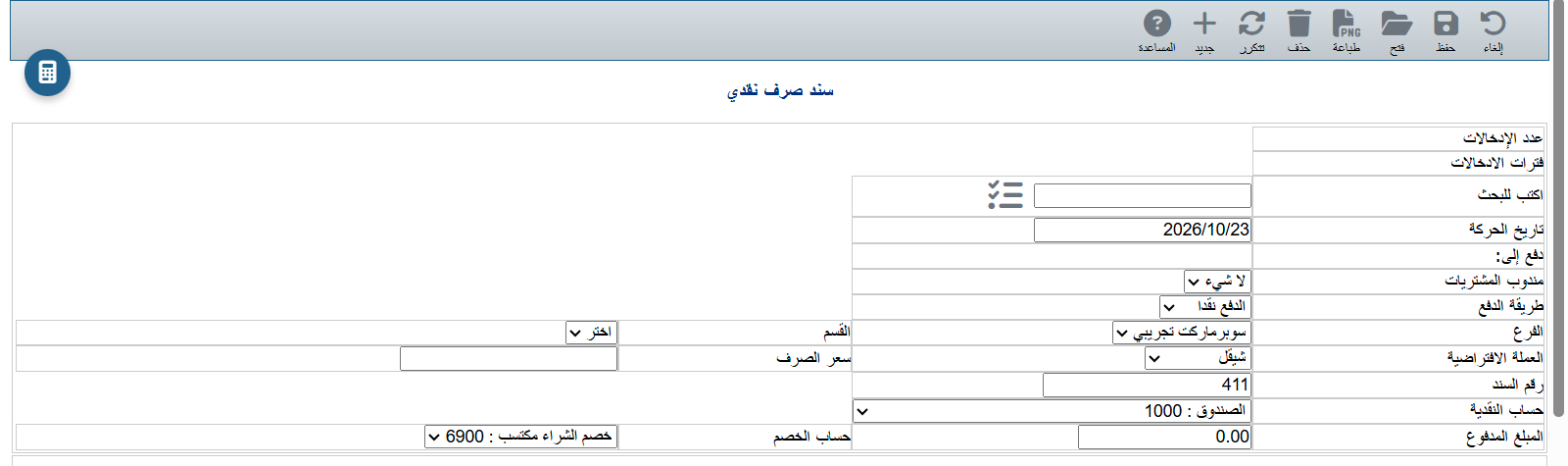
2Choose the vendor
Type part of the vendor name in Search and pick it from the list. The name and address appear below the form.
3Payment details
- Date: today by default.
- Payment method: cash, cheque or card.
- Branch and Currency (with Exchange rate for a foreign currency).
- Voucher number: assigned automatically.
- Cash account: where the money came from (Cash box 1000, Current account 1020...).
- Amount paid: the payment value.
4Save or print
Click Save, or Print to save and print a copy for the vendor.
💡 If you pay by cheque, choose Payment method: cheque; the cheque then appears in Manage outgoing cheques until it is cashed.
ℹ To change an earlier voucher, click Open on the toolbar or use Manage payments.