Outgoing Cheques (to vendors)
1Write the cheque: Cheque payment
In Manage outgoing cheques click New.
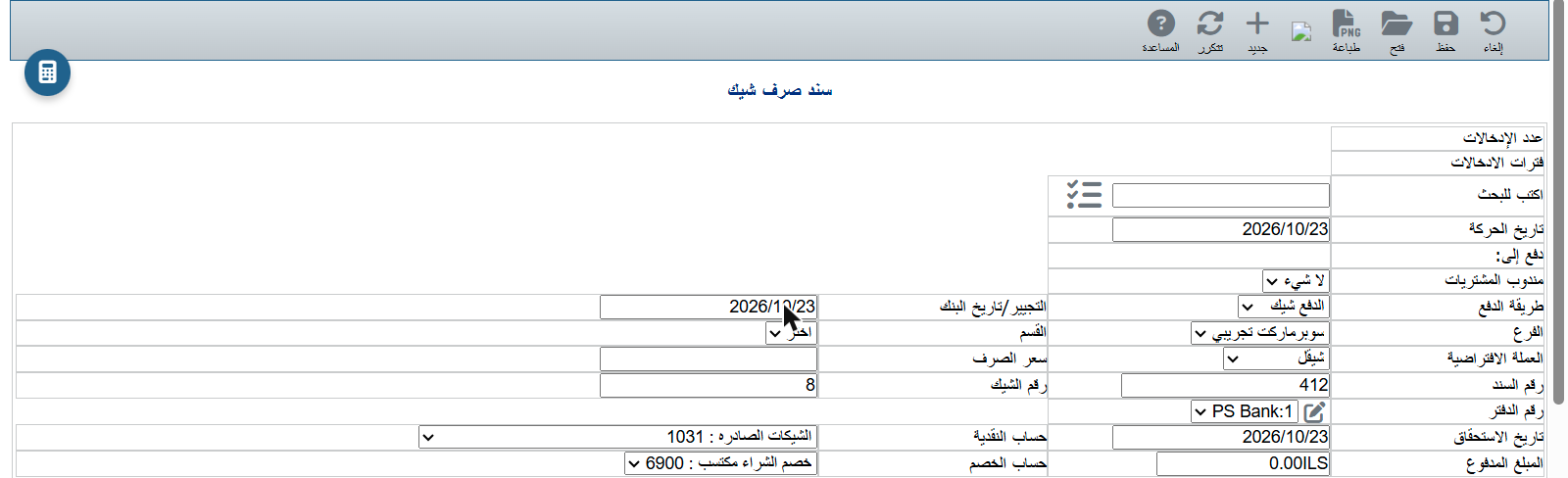
- Search: choose the vendor.
- Cheque book: e.g. PS Bank:1. The system fills in the next Cheque number in that book.
- Due date: the date written on the cheque.
- Cash account: 1031 Outgoing cheques (default).
- Enter the amount in the line below and save, then print the voucher for the vendor to sign.
💡 The ✎ button next to Cheque book manages your cheque books.
2Follow up the cheques
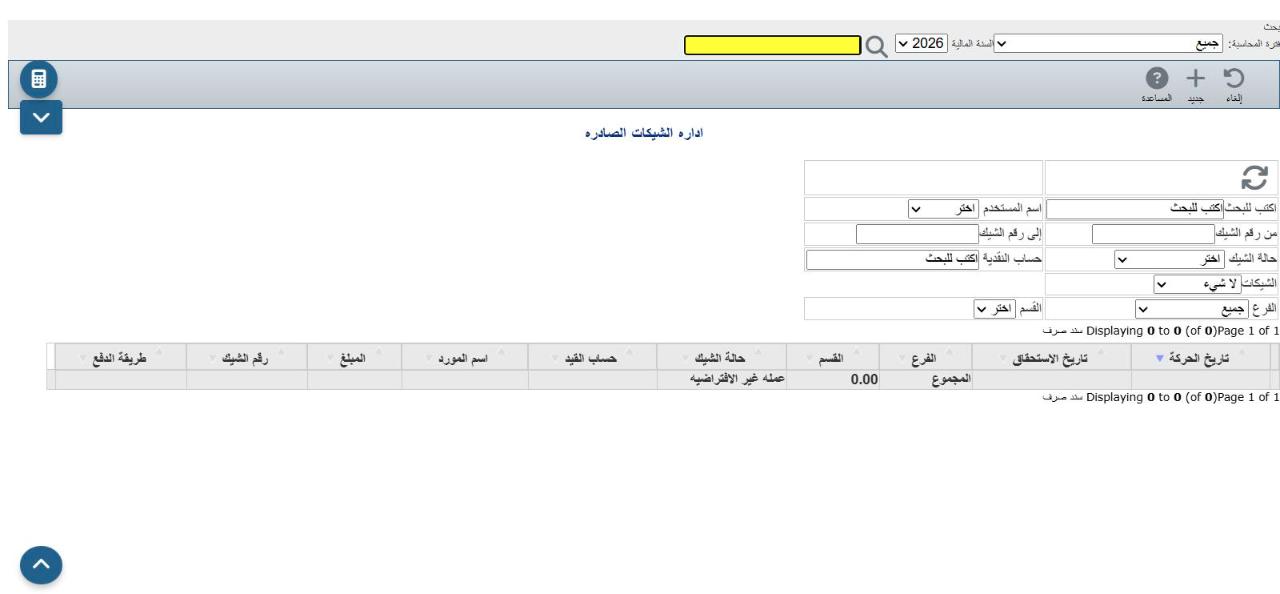
From the menu: Banking → Manage outgoing cheques. The same filters as incoming cheques, with the vendor name and a Cheques filter to pick one book.
3The ☰ menu
| Cheque status | Commands |
|---|
| Due / Not cashed | Cash cheque, Record returned cheque |
| Endorsed from customer | Cash cheque, Original cheque |
| Cashed / Returned | Print and Edit only |

- Cash cheque: when the vendor cashes it, choose the bank account in Cash account and save. Status Cashed.
- Record returned cheque: if your cheque bounces, the amount goes to 1032 Returned outgoing cheques and stays owed to the vendor. Status Returned.
- Original cheque: for an endorsed customer cheque, opens the original cheque receipt.
ℹ A bounced endorsed customer cheque is handled from Incoming cheques (Record returned cheque there).
⚠ A bounced outgoing cheque hurts your standing with the bank. Watch the Outgoing cheques box on the home page before due dates.