Chart of Accounts
The chart of accounts is the base of the accounting system: every invoice, voucher and entry posts to accounts from it.
1Open the chart
From the menu: Settings → Main module, then the Chart of accounts tab.
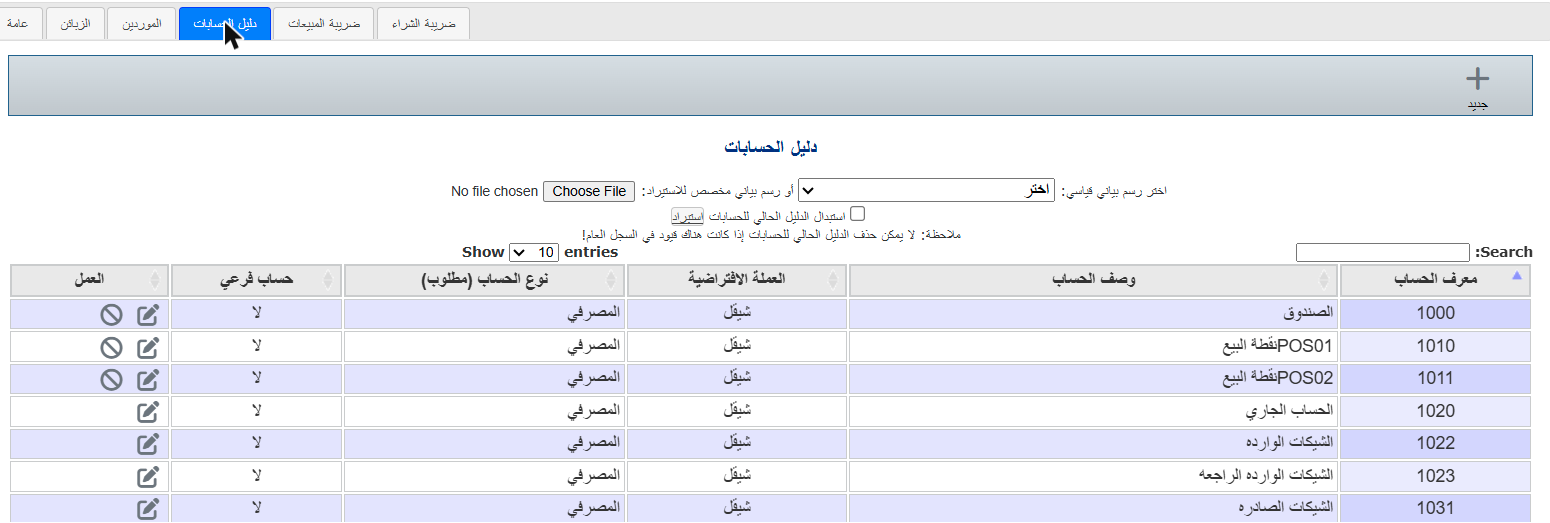
Each account has an Account ID (number), Description, Default currency, Account type, and whether it is a Sub-account.
Add an account
- Click New ( + ).
- Enter the Account number (digits and letters allowed) and Description.
- Choose the Account type (bank, receivables, inventory, expenses, income...). The type decides where the account appears on the balance sheet and income statement.
- For a sub-account, choose its parent account.
- Click Save.
Edit an account
Click the edit icon in the Action column, change it, then Save.
Delete an account
Click the delete icon (crossed circle) in the Action column and confirm.
ℹ The delete icon only appears for accounts with no entries. A used account can't be deleted or renumbered — mark it Inactive if you no longer use it.
⚠ There must be exactly one account of type Retained earnings.