Inventory in Cpos is everything you sell or buy: goods, services or labour. Each item has a card with its price, cost, balance and vendor.
| Type | When to use it | Has a balance? |
|---|---|---|
| Stock item | Normal goods you buy and sell (groceries, phones...) | Yes |
| Master item → sub-item | An item with sizes or colours; each size/colour becomes a sub-item | Yes |
| Assembly | An item made of several other items (a gift basket, a device with accessories) | Yes |
| Non-stock item | Consumables you don't track (bags, packing material) | No |
| Service / Labour | Repair, installation, delivery charges | No |
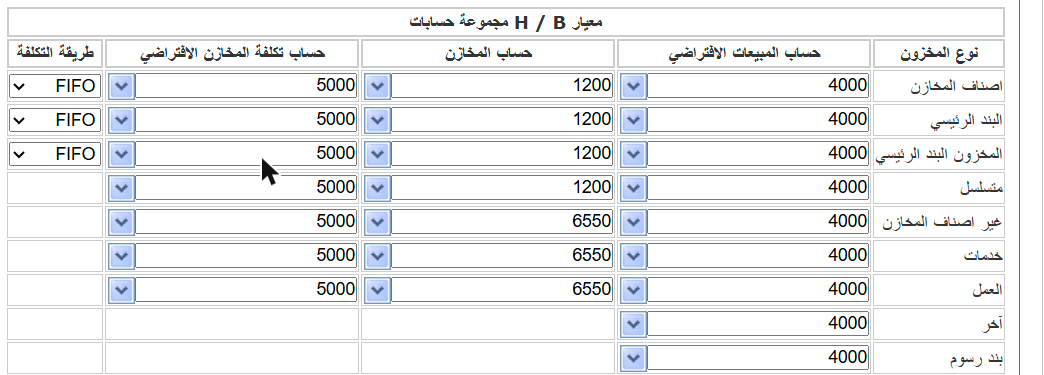
Each item type is linked to three accounts — Sales, Inventory and Cost of sales — plus a default cost method. Set them once in Settings → Inventory module; every new item takes them automatically.