Accounting Periods and Tools
⚠ This screen is for the manager or accountant only. Some tools change or permanently delete data. Take a backup before any operation.
From the menu: General ledger → Accounting periods and entries.
Accounting periods and fiscal years
- Change current period: move the system to the new period (month).
- Update fiscal year: change period dates. A period with entries can't be changed.
- Add new fiscal year: create the next year only when needed — extra years slow down posting.
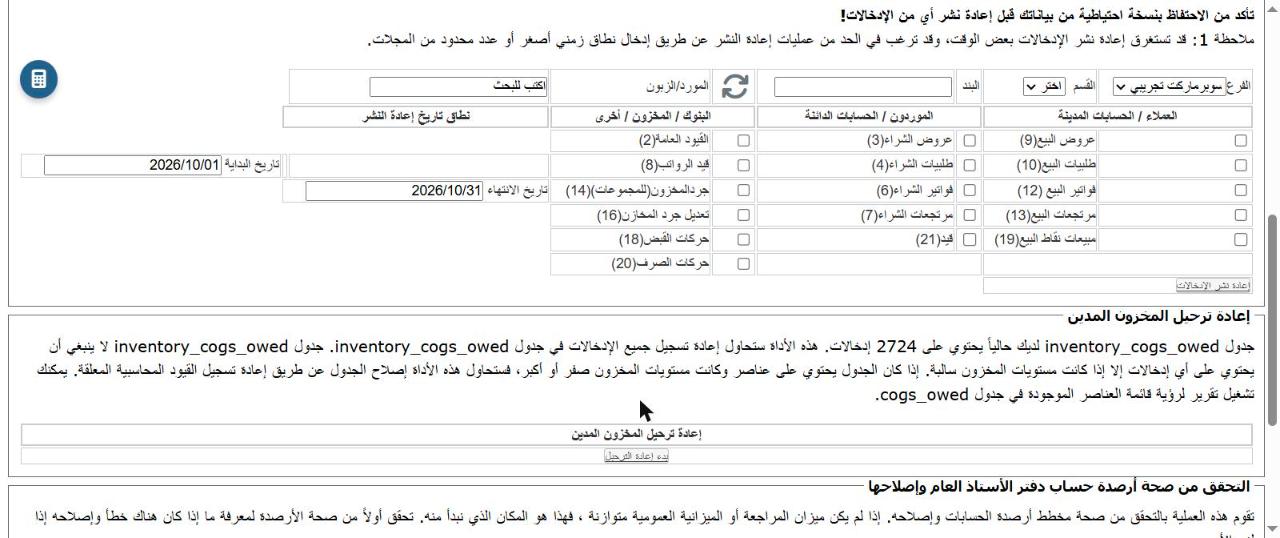
Re-post entries
Choose the transaction types (sales, purchases, receipts...) and the date range, then click Re-post entries. Use it when balances look wrong.
💡 Use a short date range — re-posting can take a long time.
Re-post COGS owed
Repairs the inventory_cogs_owed table (cost of goods sold below zero stock). Use it after entering late purchases.
Validate general ledger balances
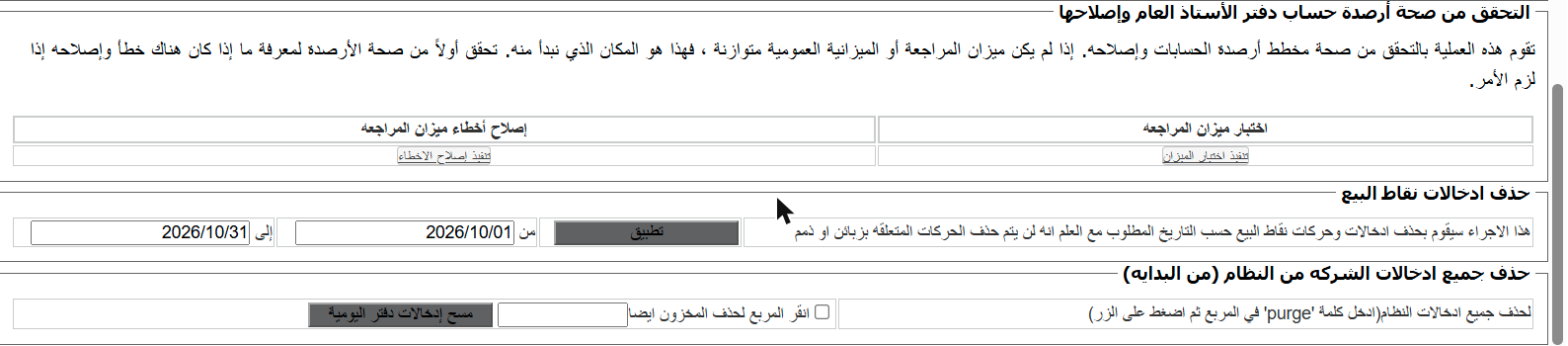
- Test trial balance: checks that the trial balance is balanced.
- Repair errors: fixes the balances if there is an error. Always test first.
Delete point-of-sale entries
Deletes POS transactions between two dates (except those linked to customer accounts).
Delete all company entries
⚠ Erases all entries and opening balances, and the inventory too if you tick the box. Can't be undone. For test companies only. Requires typing `purge`.