From this screen you manage all items: search, add a new item, edit, copy or delete.
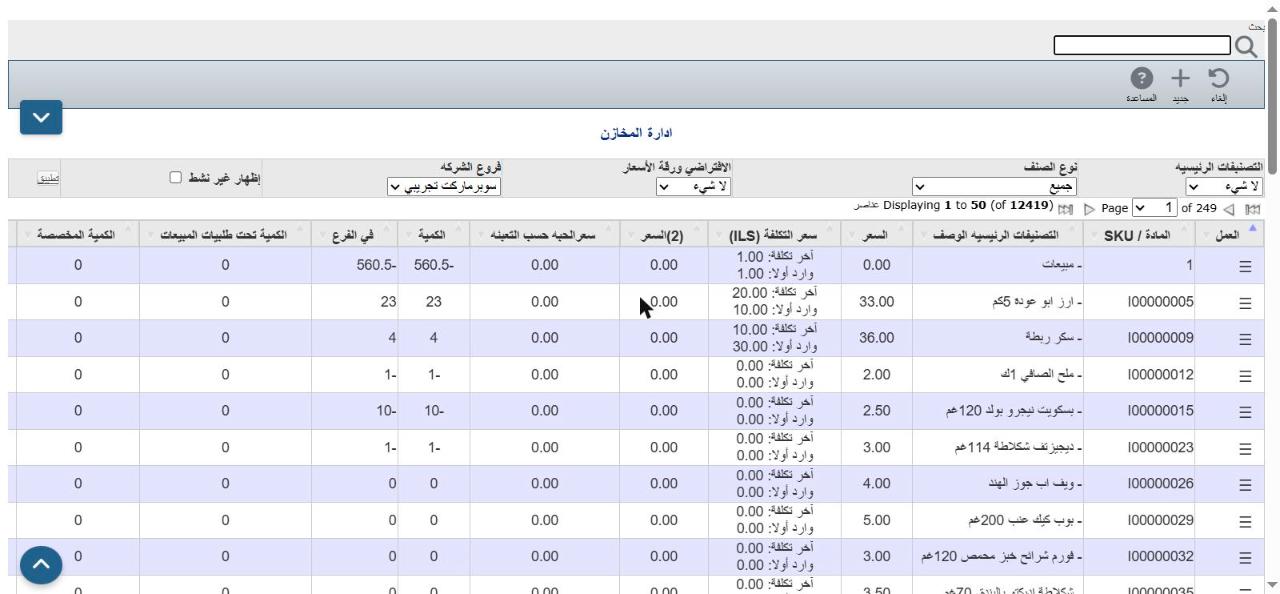
Click the ☰ icon in the Action column next to the item to show these icons:

| Icon | Action |
|---|---|
| Edit | Open the item card to change it |
| Rename | Change the item number (SKU) |
| Delete | Delete the item (only if it has no transactions) |
| Copy | Create a new item with the same data |
| Stock movements | Show the item's transactions |
| Stock transfer | Move quantity from one branch to another |
| Customer pricing | Special prices for customers |